How to Record Your Golf Swing: Camera Angles, Height, and Setup Guide
Key takeaways
| Point | Details |
|---|---|
| Hand height is the golden rule | Filming from waist or hand height provides a true perspective on shaft tilt and shoulder plane. |
| Consistent camera placement allows true comparisons | Always recording from the exact same tripod position ensures your progress metrics reflect real swing changes, not camera drift. |
Quick answer
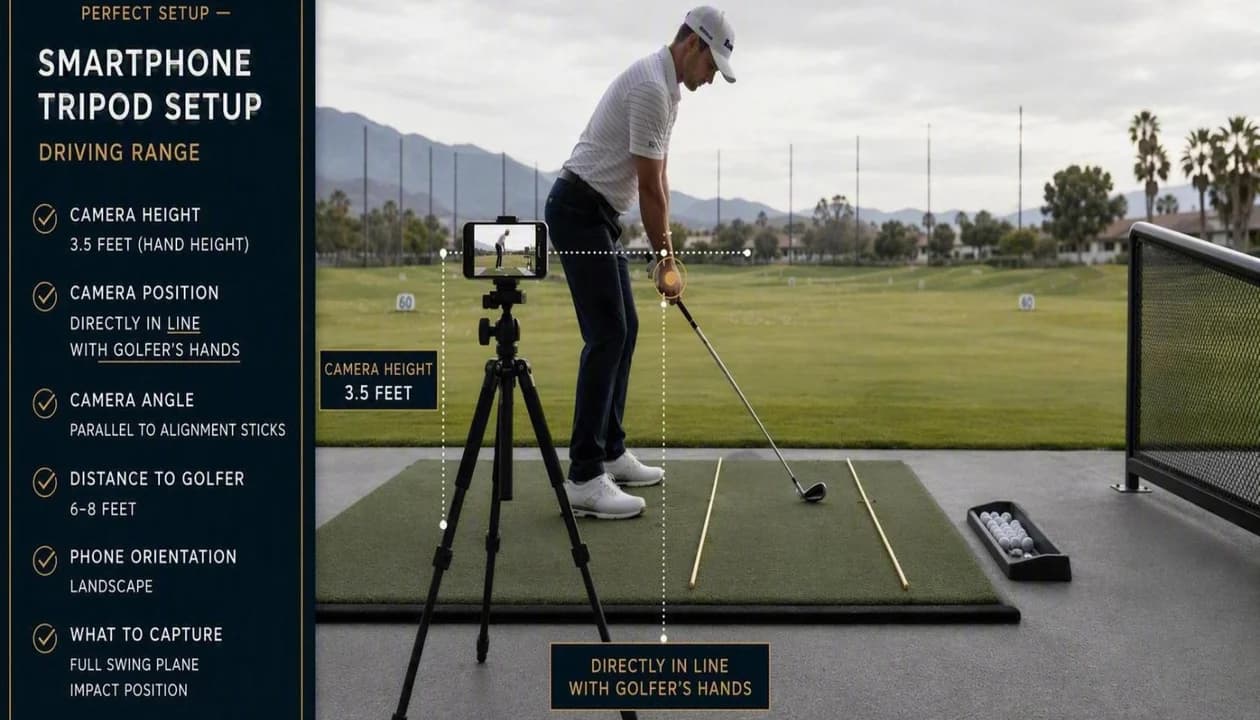
To record an accurate golf swing on a smartphone, place the camera at hand height (about three to four feet off the ground) roughly 10 to 12 feet away. For down-the-line, align the lens directly down the hand line toward the target, not along the ball or body line. For face-on, center the lens opposite your chest perpendicular to your target line.
Every day, golfers upload videos filmed from ankle height, off-center by twenty degrees, or recorded in low-light shadows. Optical perspective distortion means that placing the camera too close or pointing at the wrong angle creates optical illusions: a neutral swing plane can look completely over the top, or a square clubface can look shut.
The two essential recording angles explained
| Angle | Camera Height | Aim Point | Key Metrics Evaluated |
|---|---|---|---|
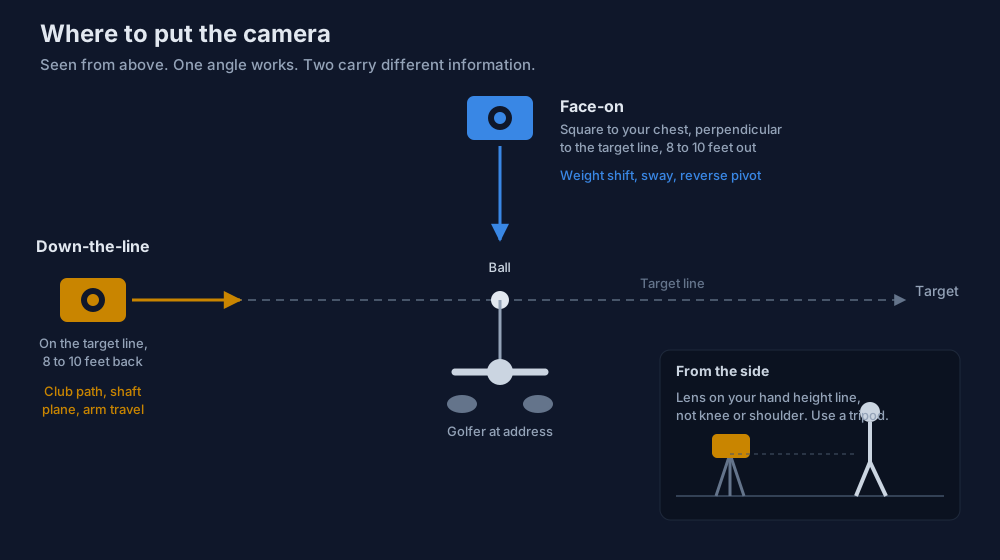
| Down-the-Line (DTL) | Hand height (approx 3.5 feet) | Directly down the hand line toward target | Swing plane, club path, pelvic depth, head movement |
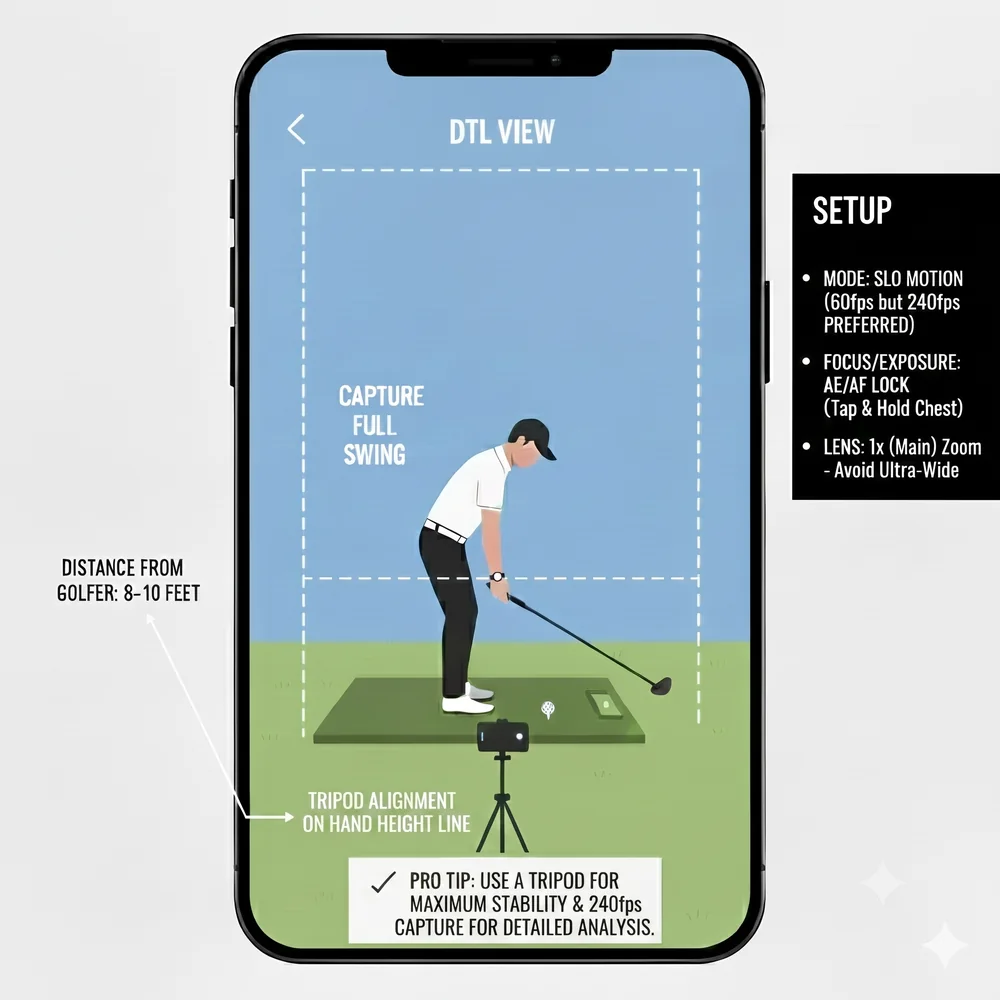
| Face-On (FO) | Chest height (approx 4 feet) | Directly facing chest, perpendicular to target line | Lateral sway, weight transfer, ball position, dynamic loft, lag |
Down-the-line camera setup guide
Position your tripod approximately 10 to 12 feet directly behind your hands at address, raised to waist or hand height (about 3.5 feet off the turf). The single most common amateur mistake is setting the camera behind the golf ball line or behind the heels. Pointing directly down the hand line gives computer vision tracking models an unobstructed view of shaft plane, hip depth, and shoulder tilt.
Face-on camera setup guide
Position the camera directly opposite your chest, perpendicular to your target line, at approximately chest height (4 feet). Ensure the camera is level and not tilted upward from the ground. A true face-on angle is critical for measuring lateral hip sway, head drift, weight transfer into the lead side, and forward shaft lean at impact.
Phone camera settings for crisp analysis
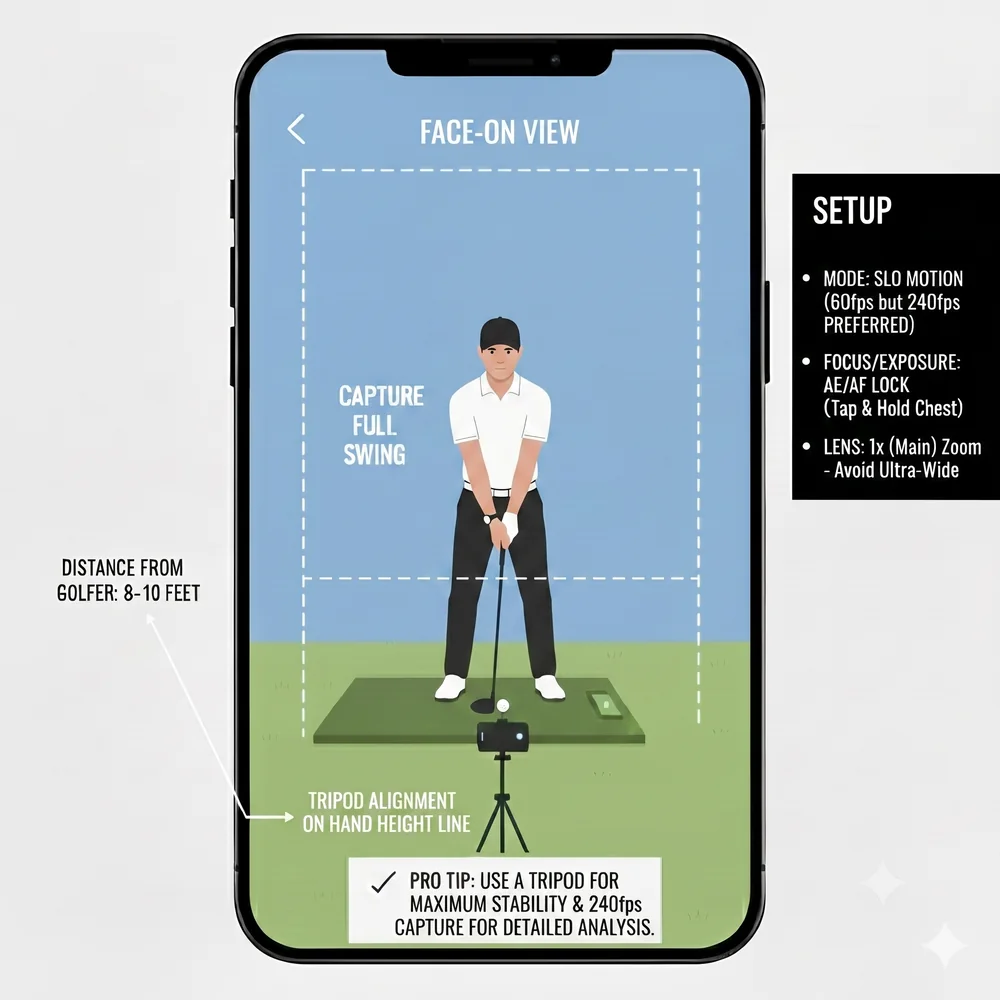
- Use 60 fps or slow motion (120 or 240 fps): Standard 30 fps video leaves the clubhead blurred into a ghost through impact. Higher frame rates freeze club delivery with razor sharpness.
- Secure a simple tripod or bag mount: Handheld video shakes, introducing landmark noise into computer vision tracking models.
- Face the light source: Avoid backlighting where the sun is directly behind you, which casts your body into a dark silhouette.
- Keep your entire swing arc in frame: Make sure the clubhead does not clip out of view at the top of the backswing or finish.
Drills that require precise camera setup
Use clean video recordings to benchmark your progress with these two posture drills.


Related guides for practice setup
Frequently asked questions
Which angle is better: down-the-line or face-on?
Both provide distinct insights. Down-the-line is best for diagnosing club path, slices, and posture loss. Face-on is best for diagnosing weight shift, head sway, and impact compression.
Can AI Golf School analyze swings recorded from both angles?
Yes. AI Golf School supports both down-the-line and face-on videos, giving you a full 3D diagnostic breakdown of your mechanics.
How AI Golf School Diagnoses Your Swing
Instead of a vague list of swing tips, every analysis isolates your single root-cause fault, tracks 33 skeletal joints in 3D through impact, and pairs you with a focused drill plan.

Composite score with root-cause flaw detection and severity ratings.
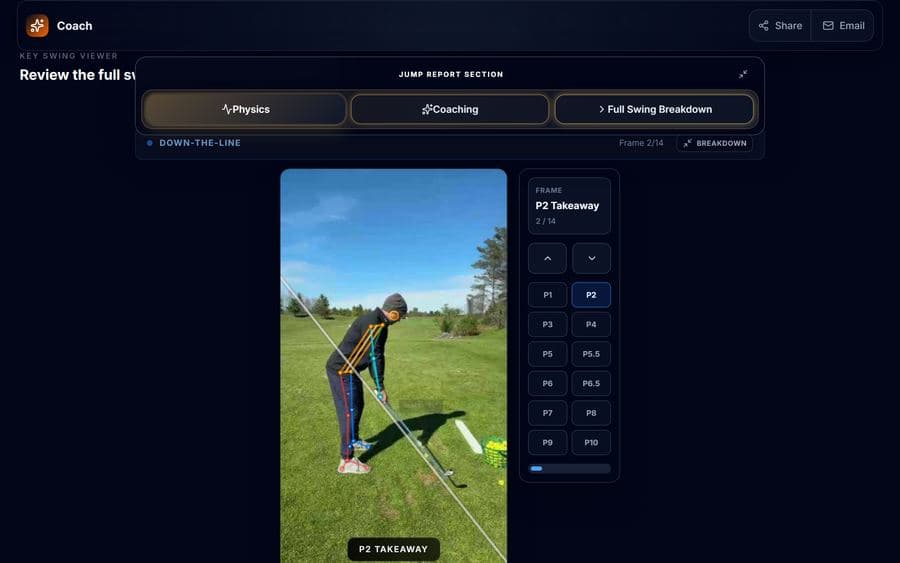
The Oracle physics engine tracks 33 joints across all swing phases.

Personalized drills from certified coaches matched to your specific flaws.
Upload one video from your phone to diagnose your swing mechanics.