How to Add a Shot Tracer to a Golf Video for Free (No App Required)
Key takeaways
| Point | Details |
|---|---|
| No app or editor is required | You can add a ball flight tracer and export an MP4 directly in your phone browser at /tools/shot-tracer. |
| Hold the camera still through impact | A stationary phone on a tripod or bag mount gives the detector a clean background so it can separate the moving golf ball. |
| Higher frame rates track further | Recording at 120 fps or 240 fps captures multiple crisp ball positions right off the clubface instead of a single blurred streak. |
| Your video stays private on your phone | Because detection and MP4 encoding run inside your browser, your swing video is never sent to an external server. |
Quick answer
To add a shot tracer to a golf video for free without downloading an app, open the AI Golf School Free Shot Tracer in your phone or computer browser, select a down-the-line video, tap the golf ball once so the detector tracks its launch, drag the landing spot and curve to match your shot, and tap download to save the MP4 locally.
Adding a broadcast-style tracer line to your favorite drive or iron shot takes less than a minute when you do it in the browser. You do not need desktop video editing software, keyframe masking skills, or a paid subscription app.
Step-by-step: add a ball tracer to your swing clip
- 1
Open the free shot tracer in your browser
Go to the AI Golf School Free Shot Tracer on iPhone Safari, Android Chrome, or desktop. No login or app install is required.
- 2
Select a down-the-line golf video
Choose a clip filmed from behind your hands looking down the target line. Trim out long setup pauses if possible so the clip focuses on the swing and flight.
- 3
Tap the golf ball at address
Tap once directly on the ball before impact. The in-browser detector snaps onto the ball, finds the exact impact frame, tracks the early ball flight off the clubface, and detects the horizon.
- 4
Shape the landing, curve, height, and target flag
Drag the end of the line to where your ball actually landed, adjust draw or fade curve and apex height, pick a color that contrasts with the sky, and optionally drop a target flag.
- 5
Download your MP4
Tap export to render and save an MP4 straight to your device. All processing runs locally in your browser, so your video is never uploaded.
How to film your swing so the tracer tracks cleanly
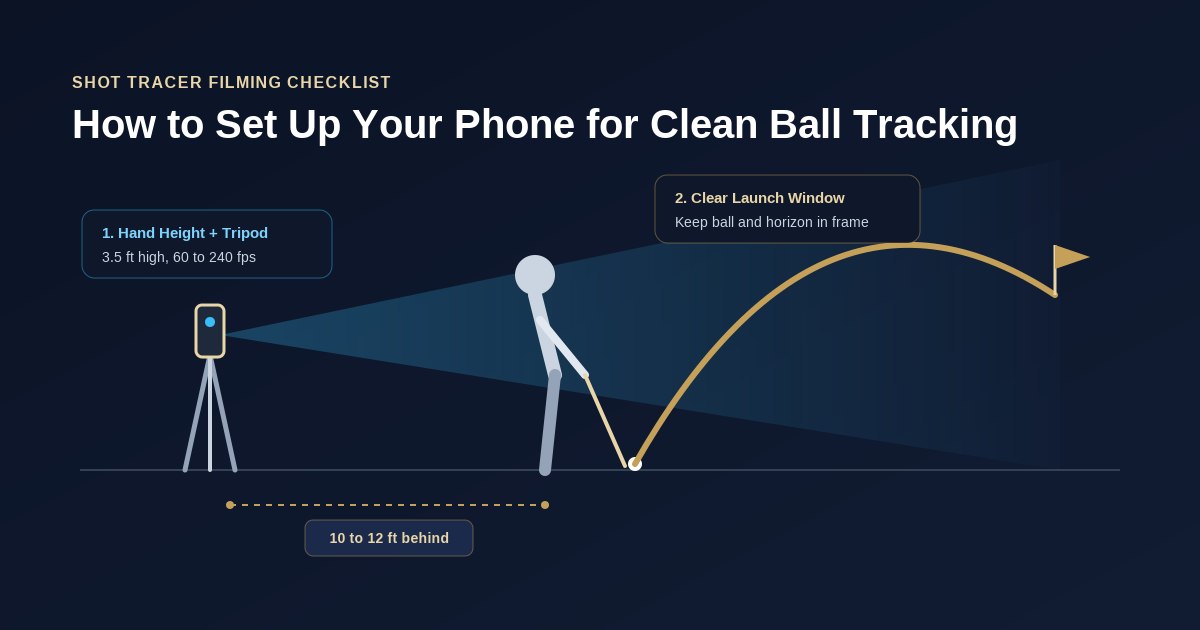
Shot tracers rely on seeing the golf ball leave the clubface for as many frames as possible. A few seconds of camera setup on the range or tee box makes a bigger difference than any editing slider. For full biomechanics camera setup rules, see our complete guide to recording your golf swing.
| Setting | Recommended for Shot Tracing | What Breaks Ball Tracking |
|---|---|---|
| Camera angle | Down-the-line behind hands, facing target | Face-on angle (ball exits the side of the frame immediately) |
| Frame rate | 60 fps, 120 fps, or 240 fps slow motion | 30 fps (ball blurs into a faint streak off a driver) |
| Camera stability | Tripod, bag clip, or braced hands | Panning or shaking the phone during impact |
| Sky and lighting | Blue sky or tree backdrop behind the ball | Shooting straight into low sun or bright white glare |
Troubleshooting common shot tracer issues
- Line starts slightly after impact: Re-tap directly on the center of the ball at address and make sure the clubhead or shadow is not covering the ball in the first frame.
- Ball disappears quickly against bright clouds: Let the detector anchor the launch direction off the clubface, then drag the landing handle to where you saw the ball come down.
- Tracer cuts across your body in the follow-through: Wait a moment after the line appears for the in-browser pose pass to finish so the tracer tucks cleanly behind your shoulders and torso.
- Want to compare other tools first? Check our 2026 comparison of free golf shot tracer tools.
Frequently asked questions
Can I add a shot tracer to an already recorded golf video?
Yes. Open the AI Golf School Free Shot Tracer in your browser, select any existing down-the-line video from your camera roll, tap the golf ball, customize the flight, and download the traced MP4.
Why does my phone video need to be down-the-line for a shot tracer?
From down the line, the ball travels away from the camera into the fairway so its full arc stays inside the frame. In a face-on video, the ball leaves the edge of the screen within a fraction of a second.
Should I record in slow motion or normal speed for a shot tracer?
60 fps normal video works well for quick sharing, while 120 fps or 240 fps slow motion gives the ball detector sharper frames off the clubface and produces smoother broadcast-style replays.
Does the free shot tracer work on iPhone Safari?
Yes. The tool runs natively in iPhone Safari, Android Chrome, and desktop browsers with no app download or account required.
How AI Golf School Diagnoses Your Swing
Instead of a vague list of swing tips, every analysis isolates your single root-cause fault, tracks 33 skeletal joints in 3D through impact, and pairs you with a focused drill plan.

Composite score with root-cause flaw detection and severity ratings.
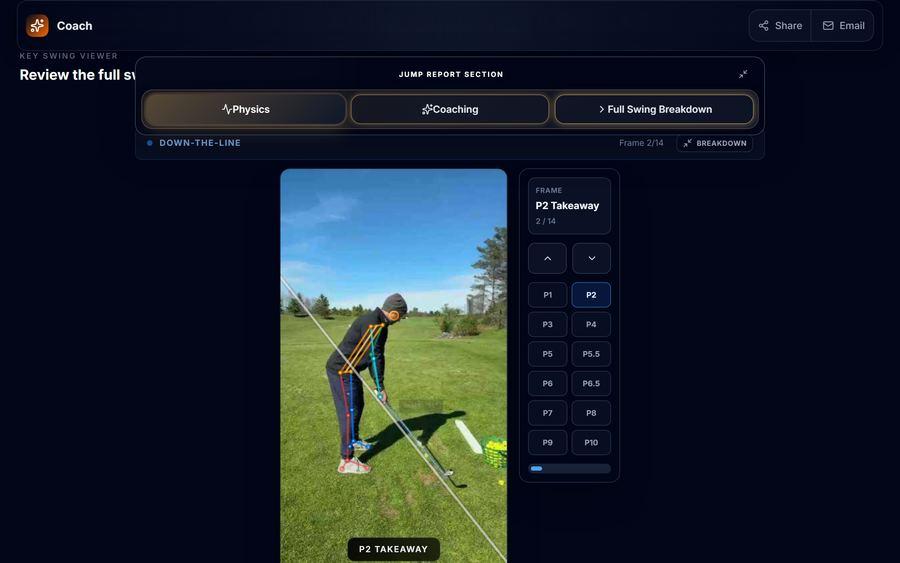
Swing Lens tracks 33 joints across all swing phases.
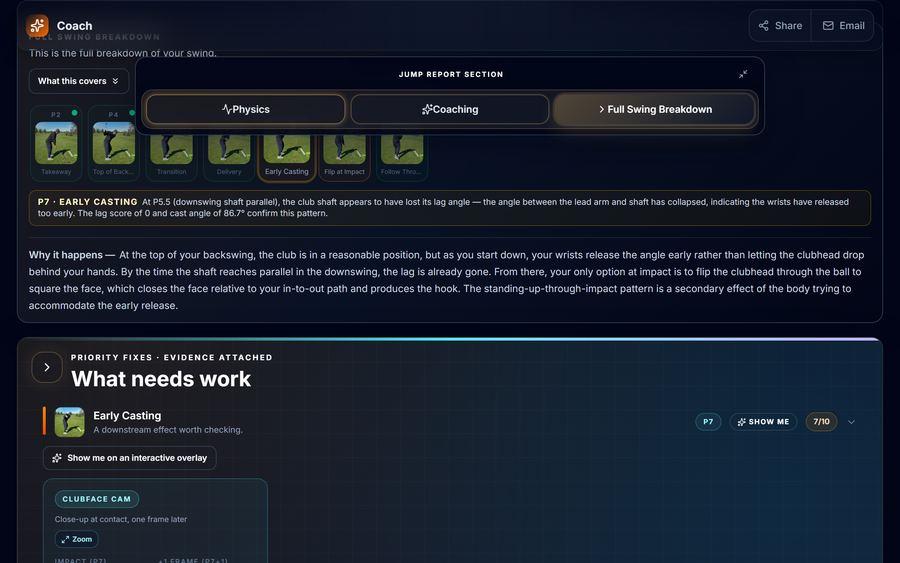
Personalized drills from certified coaches matched to your specific flaws.
Upload one video from your phone to diagnose your swing mechanics.